

How it works

Seven steps. Start at the one you need.

You don’t have to start at the start. Come in, take what you need and leave the rest.

Part 1 of 4

Build your record

Get a résumé you can send today, then save the facts behind it so each later step starts from your own record.

  1. 1 Start
  2. 2 Your record
  3. 3 Target job
  4. 4 Résumé & LinkedIn
  5. 5 Applications
  6. 6 Interview
  7. 7 Plan & readiness

Step 1 · Start

Get a usable résumé fast.

If you need a résumé today, you can build one without learning the whole system first. Create it in the Résumé Builder and keep going when you are ready.

Done meansYou have a résumé you are ready to send.

ToolsRésumé Builder · Mission Control

StartFictional sample data
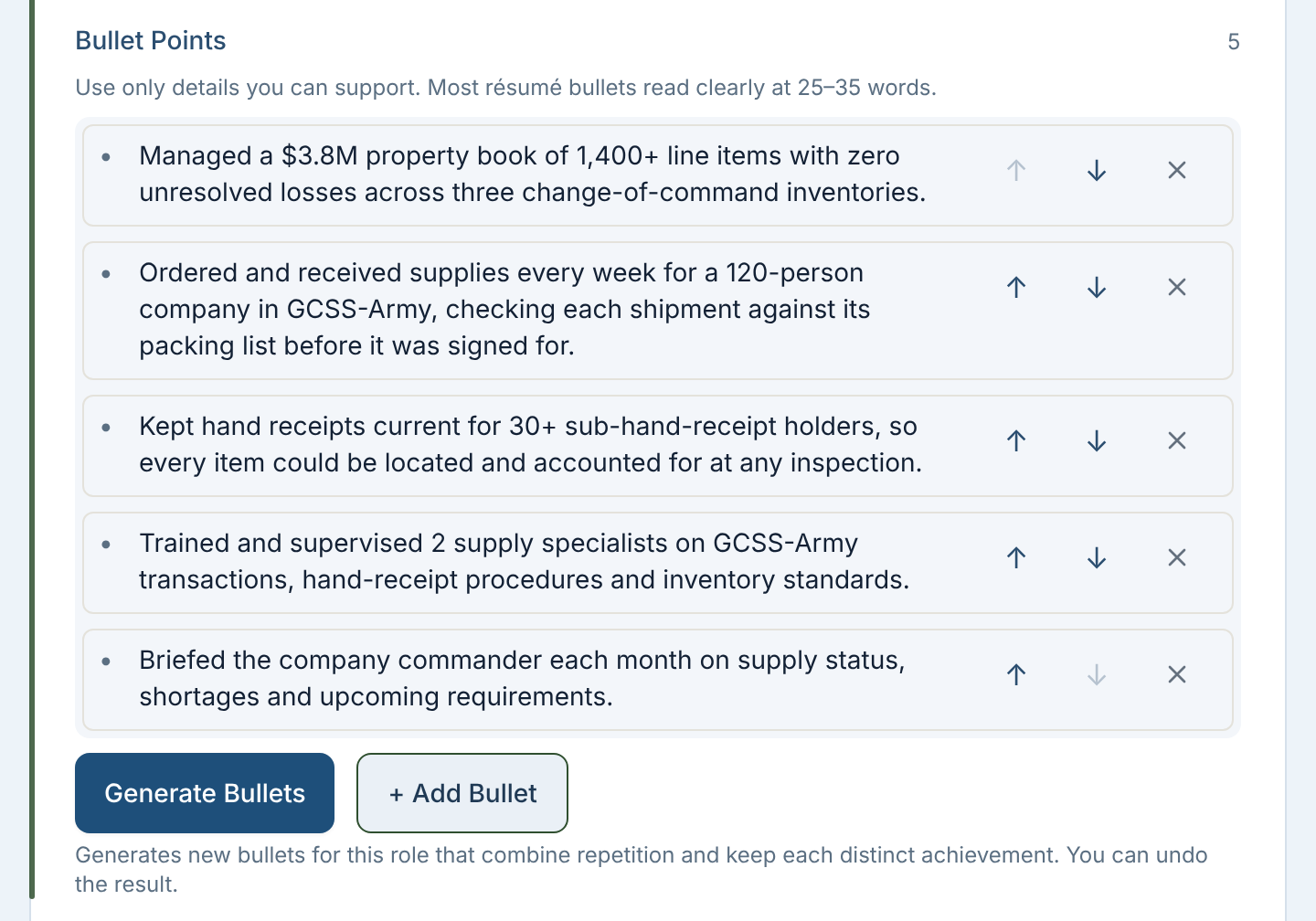
Résumé Builder on fictional sample data, with work history and résumé preview.Open the full-size example image (opens in a new tab)
Résumé Builder on fictional sample data, with work history and résumé preview. Names and details are fictional.

Step 2 · Your record

Turn experience into evidence.

Use Evidence Extractor to turn an accomplishment into supported résumé details. Save interview stories you can stand behind in Story Bank.

Done meansYou can name the scale, scope, and outcomes you are able to defend.

ToolsEvidence Extractor · Story Bank

Evidence ExtractorTool preview

Tool

Evidence Extractor

Turn experience into supported résumé details

Part 2 of 4

Tailor to a job

Paste a real posting. ATS Tailoring shows where you match, asks about gaps, and changes a line only when you approve it.

  1. 1 Start
  2. 2 Your record
  3. 3 Target job
  4. 4 Résumé & LinkedIn
  5. 5 Applications
  6. 6 Interview
  7. 7 Plan & readiness

Step 3 · Target job

Check one job, answer one question.

Paste a job posting into ATS Tailoring to see where your résumé matches and where there are gaps. If you are still choosing a direction, Career Path compares six technology paths. ATS is the applicant tracking system employers use to screen résumés.

Done meansYou know where you match, and where a gap is real.

ToolsATS Tailoring · Career Path

Target jobFictional sample data
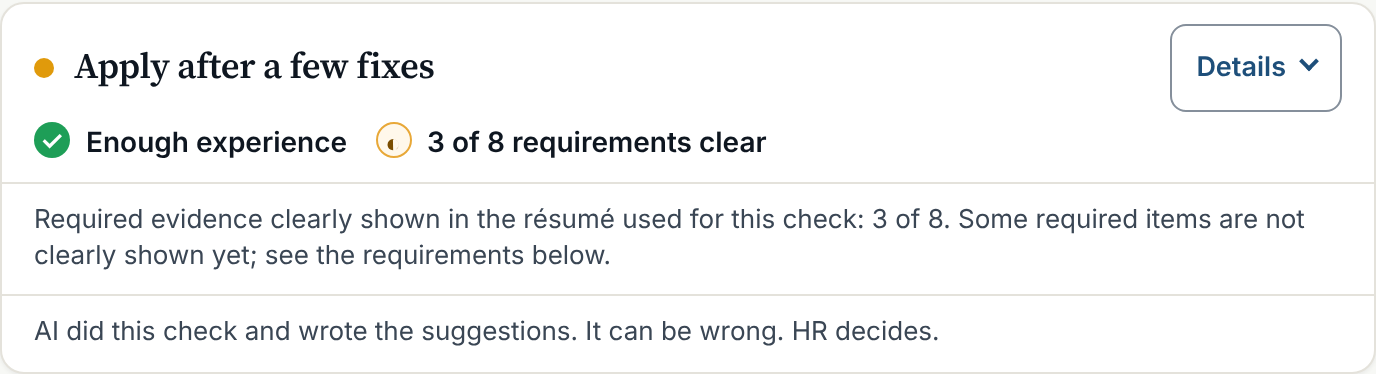
ATS Tailoring result on fictional sample data, with match findings.Open the full-size example image (opens in a new tab)
ATS Tailoring result on fictional sample data, with match findings. Names and details are fictional.

Part 3 of 4

Write and apply

Turn what you approved into a résumé and a LinkedIn draft, then find matching jobs and track each application.

  1. 1 Start
  2. 2 Your record
  3. 3 Target job
  4. 4 Résumé & LinkedIn
  5. 5 Applications
  6. 6 Interview
  7. 7 Plan & readiness

Step 4 · Résumé & LinkedIn

Write your résumé and LinkedIn in civilian terms.

The résumé is for applications and LinkedIn is for visibility and referrals. Résumé Review gives specific feedback on a résumé you already have. LinkedIn drafts wording for you to review and paste; it does not post anything for you.

Done meansBoth read like a clear record of responsibility, not a wall of acronyms.

ToolsRésumé Builder · Résumé Review · LinkedIn

Résumé & LinkedInFictional sample data
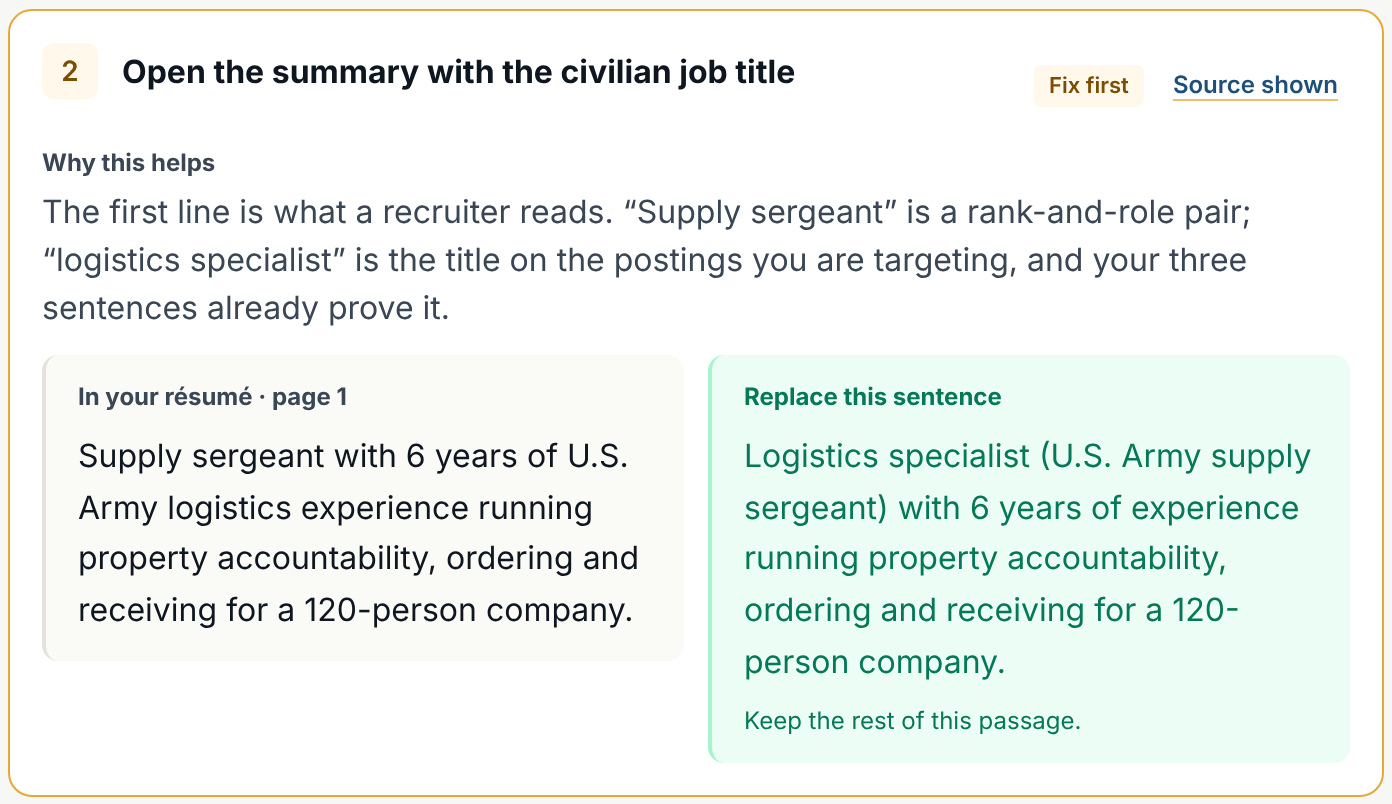
Résumé Review example on fictional sample data, showing a résumé line beside a suggested rewrite.Open the full-size example image (opens in a new tab)
Résumé Review example on fictional sample data, showing a résumé line beside a suggested rewrite. Names and details are fictional.

Step 5 · Applications

Find jobs, save a copy for each, then track them.

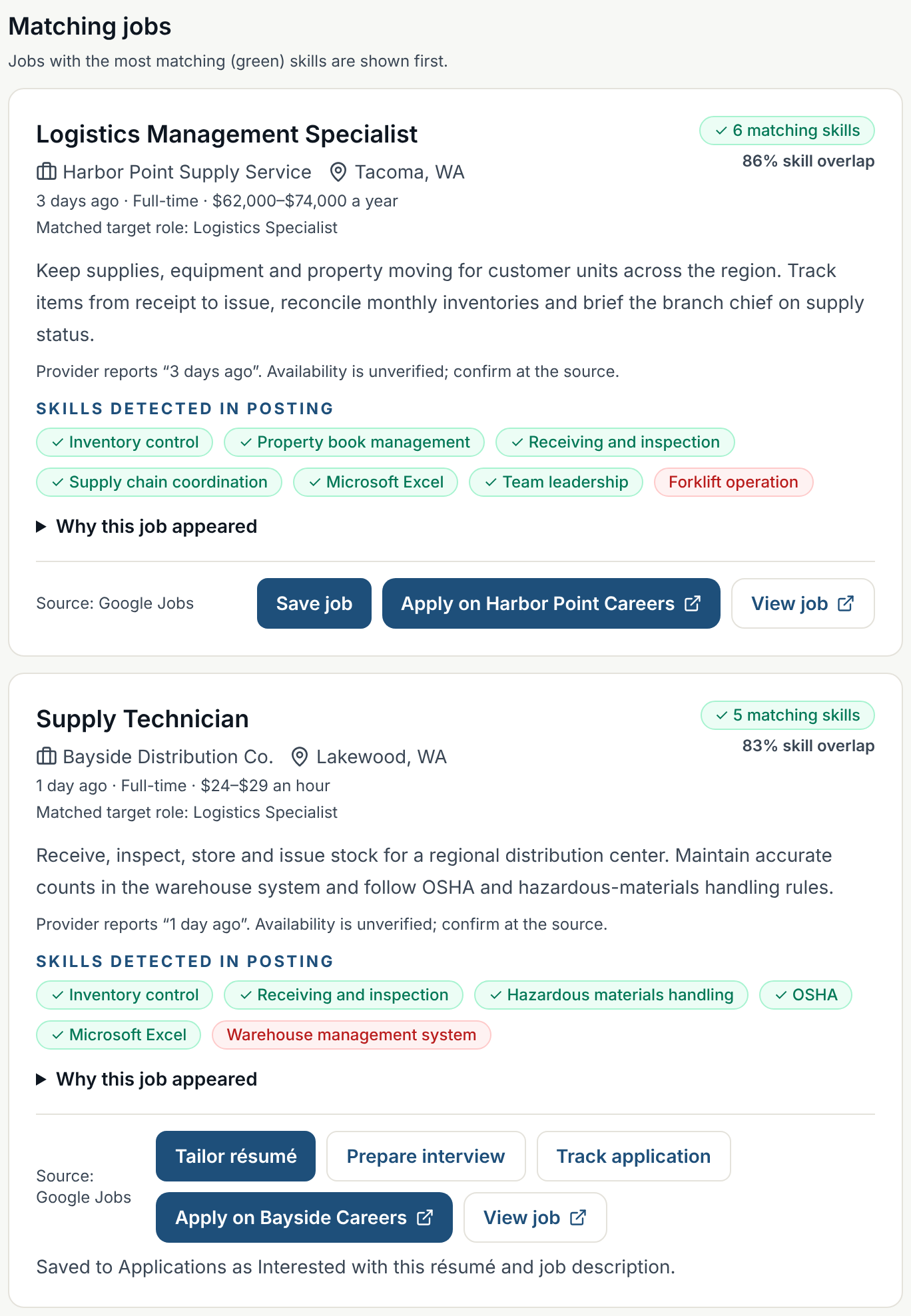
When available for your account, Matching jobs shows live listings compared with skills on a saved résumé. Applications keeps the pipeline in one place. A version you approve is saved as a separate copy for that job; your original stays unchanged.

Done meansYou know where each application stands.

ToolsMatching jobs · ATS Tailoring · Applications

ApplicationsFictional sample data
Matching jobs on fictional sample data, with listings compared against a résumé.Open the full-size example image (opens in a new tab)
Matching jobs on fictional sample data, with listings compared against a résumé. Names and details are fictional.

Part 4 of 4

Interview and plan

Practice answers built from facts you can back up, then plan your next steps around your separation date.

  1. 1 Start
  2. 2 Your record
  3. 3 Target job
  4. 4 Résumé & LinkedIn
  5. 5 Applications
  6. 6 Interview
  7. 7 Plan & readiness

Step 6 · Interview

Practice answers you can back up.

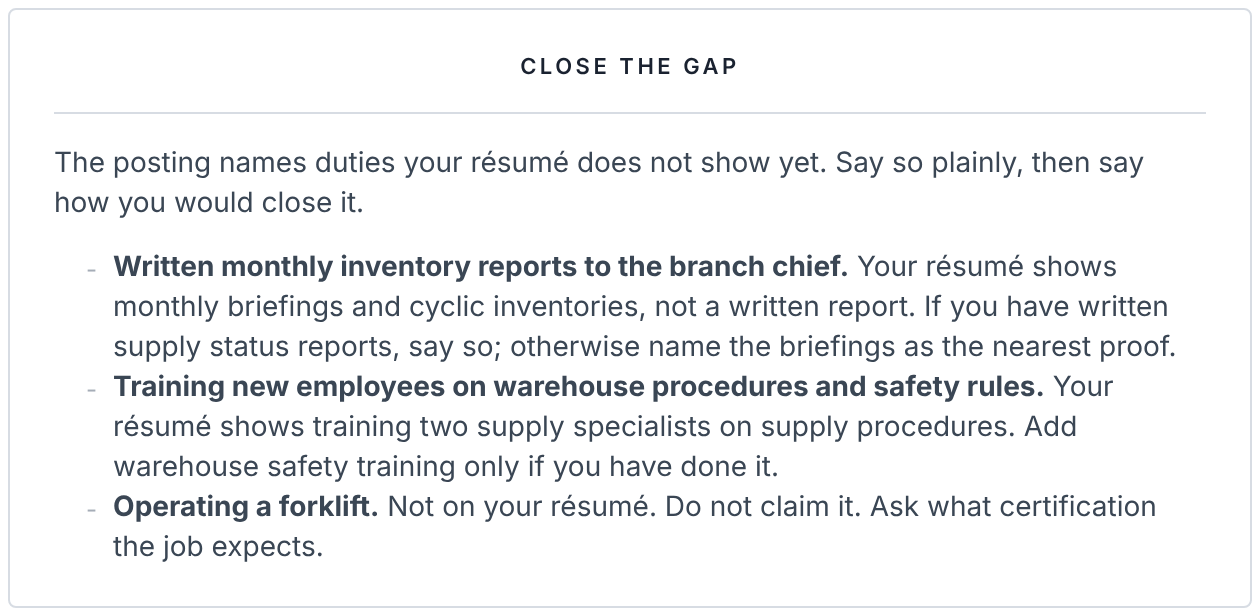
Interview Prep works from your approved facts, so you practice answers you can support. Where your résumé is thin, it says so and asks.

Done meansYou walk in with stories you can defend.

ToolsInterview Prep

InterviewFictional sample data
Interview Prep example on fictional sample data, with honest guidance about missing evidence.Open the full-size example image (opens in a new tab)
Interview Prep example on fictional sample data, with honest guidance about missing evidence. Names and details are fictional.

Step 7 · Plan & readiness

Plan your next steps around your separation date.

When enabled for your account, Transition Plan is available. Plan your next steps around your separation date.

Done meansYou make the next decision with a plan, not a guess.

ToolsTransition Plan

Then people: Networking Planner and Mentor Packet can help you take your record to people who can open a door.

Transition PlanTask preview

Save five interview stories in Story Bank

Do this next

Open Story Bank and start your first story: pick one problem you solved, then enter the situation, your responsibility, your action, and the result.

2 hrs

Our standard

How we write, and your record stays yours.

Translate, don’t inflate. You decide who sees your record.

Your words first

Drafts start from what you supply, in your words.

It asks you

Where evidence is thin, ATS Tailoring, Résumé Review and Interview Prep ask you.

Nothing added

In ATS Tailoring, numbers, credentials and names you did not provide are removed.

You approve

In ATS Tailoring, a line changes only when you approve it.

Read the privacy policy

Take what you need and leave the rest.

Every other tool is in the same menu when you are ready for it.

Create your free accountSee résumé examples

Free for every veteran. No card, no upsell, no premium tier.